Kiosk-mode tablet
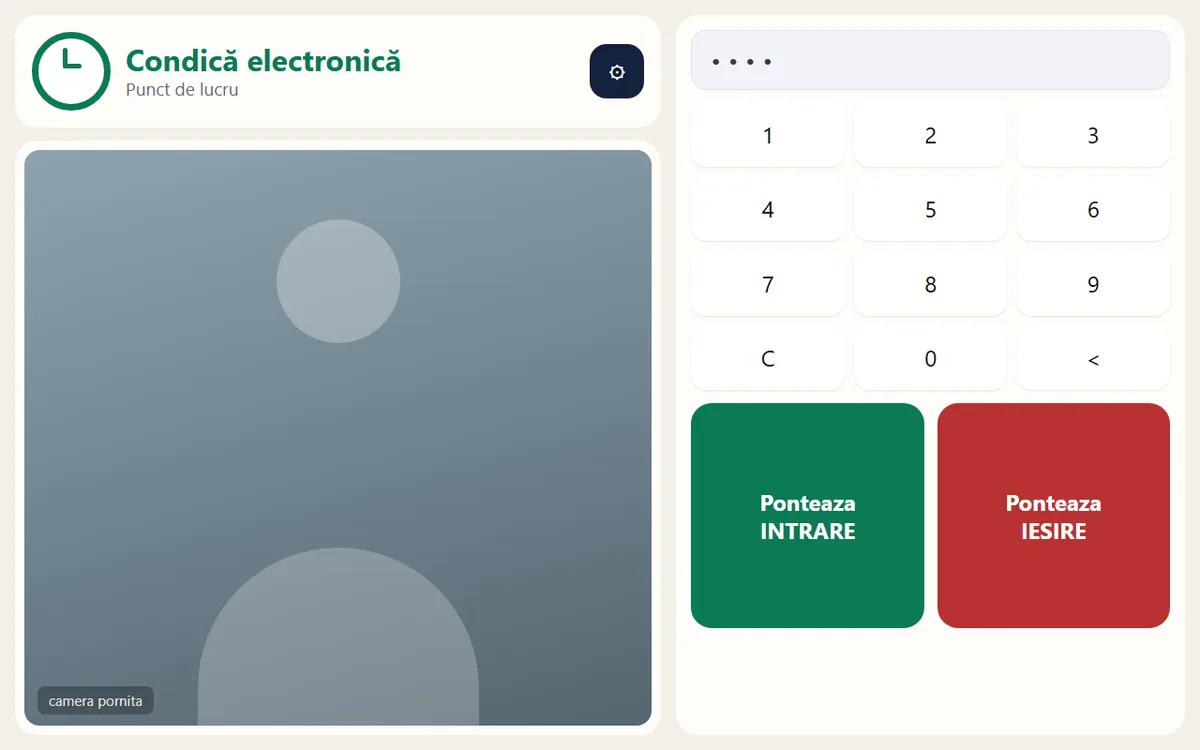
An Android tablet with a camera, mounted at the entrance and locked to the clock-in app. The app installs new versions on its own.
HR software · Time & attendance
We built an employee time and attendance system around two simple pieces: a tablet at the entrance where staff clock in with a PIN, and an admin page on the internal network where HR follows attendance live and prints the monthly report. Every record stays on the organisation's own computer.
Problem
A paper attendance book looks simple until someone actually has to rely on it. A signature proves neither who signed nor what time the person really arrived.
Solution
Employees type their PIN on the entrance tablet and tap IN or OUT. At that exact moment the tablet takes a photo, so the time and the person are tied together. The screen confirms the employee's name, so they know they were recognised. Two taps and a few seconds, and that's it.
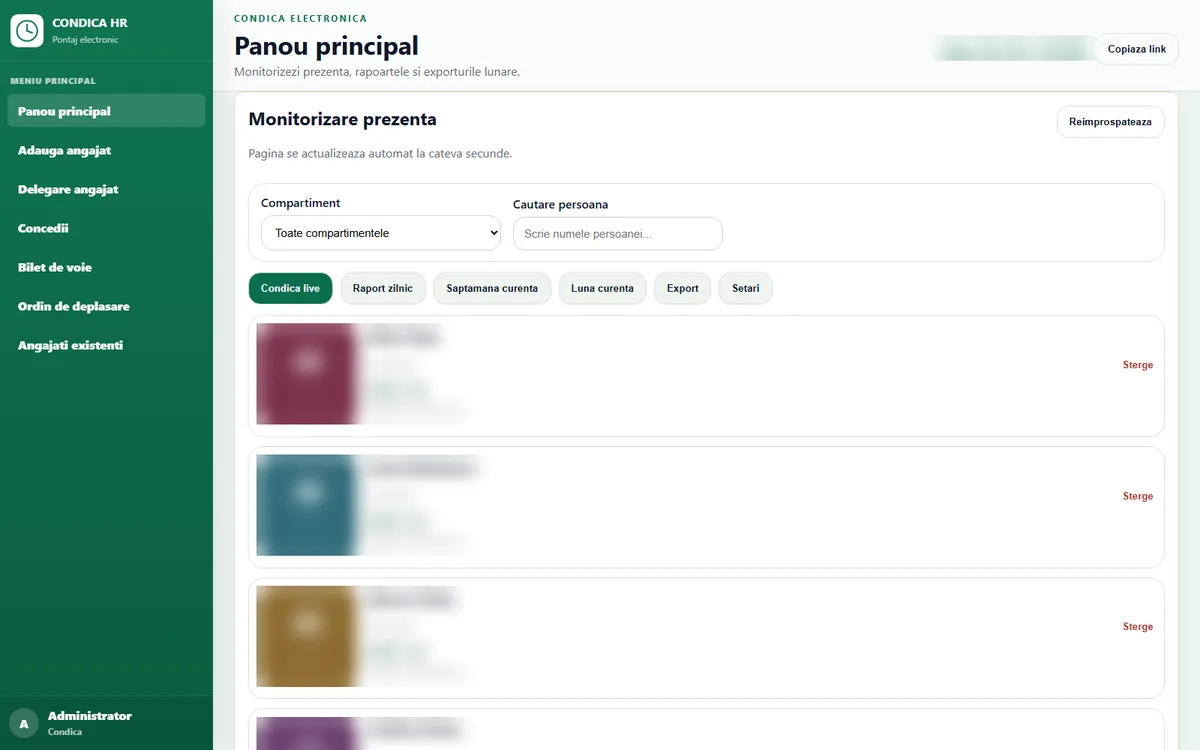
Each clock-in shows up instantly on the admin page, which runs on the internal network and opens in any browser, on a desktop or a phone. From there HR checks who is in today, manages leave and generates the monthly report without retyping a thing.
Features
Everything you need for employee attendance tracking, in one place.
An Android tablet with a camera, mounted at the entrance and locked to the clock-in app. The app installs new versions on its own.
The list of people who have clocked in refreshes by itself, and every record carries the time and the photo taken at that moment.
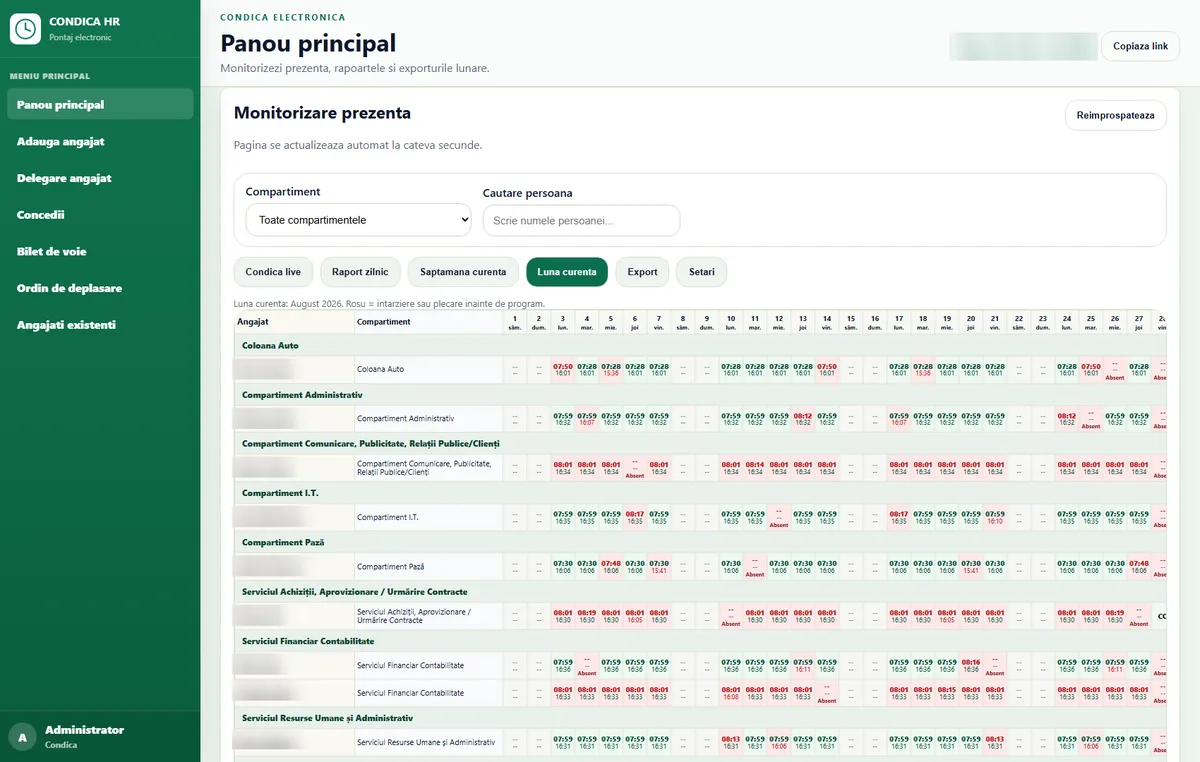
The whole month on a single page: employees grouped by department, with in and out times for every day. Late arrivals and early departures are shown in red.
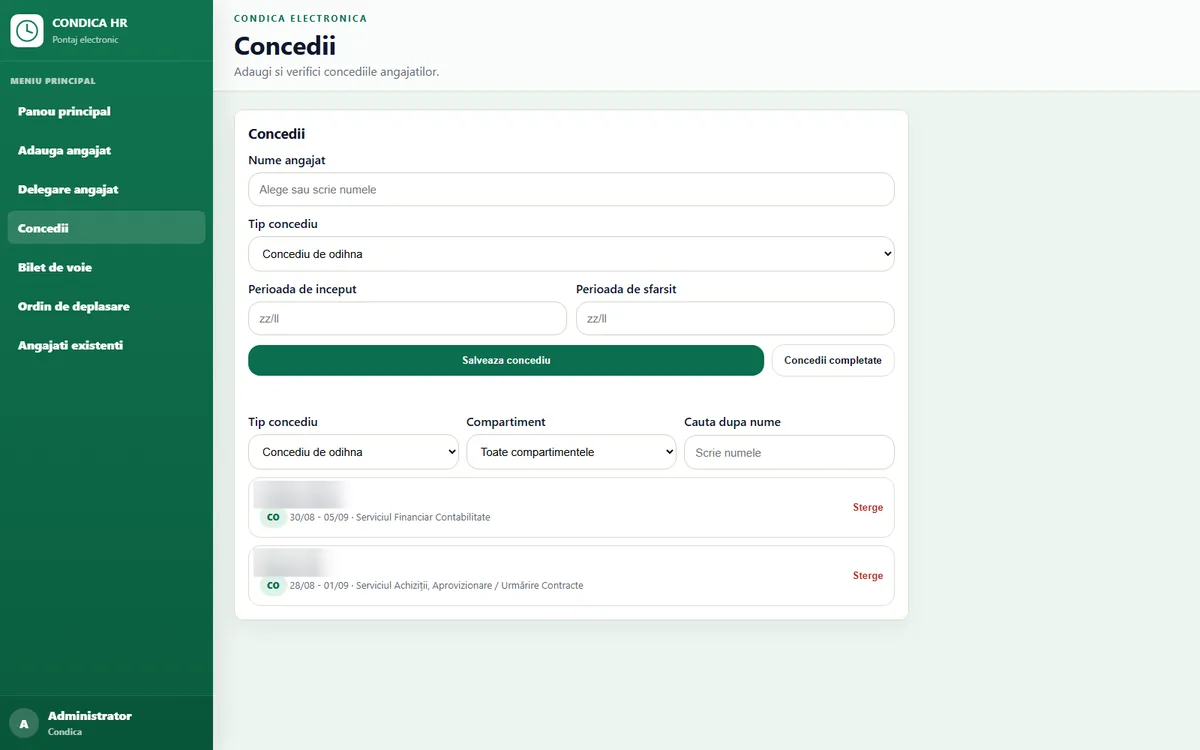
Annual leave, sick leave, short leave passes and business-travel orders, each with its own code in the report. Weekends are not counted as leave, and people on leave are no longer flagged as unexcused absences.
Leave passes and travel orders print straight from the app, already filled in.
Every employee has their own working hours, including shifts starting at 7:30, and lateness is measured against them.
Administrator, HR, director (read-only) and standard user: each sees only what they need, and photos stay hidden from roles that don't need them.
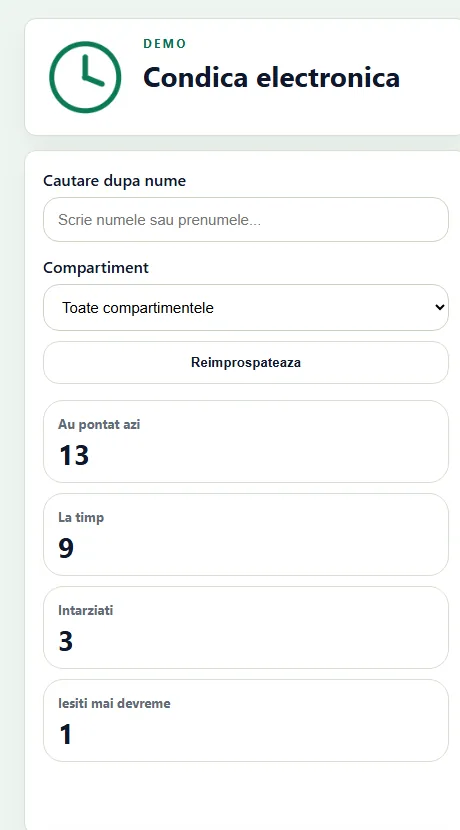
How many people clocked in today, how many were on time and how many were late, with name search and department filters, right in the phone's browser with nothing to install.
Each entrance gets its own tablet, all of them write to the same register, and reports stay shared and grouped by department.
Security
Photos and arrival times are personal data, so protecting them was a design requirement from day one.
The software runs on a computer inside the internal network. Data never leaves the building, and the register keeps working without internet access.
They are deleted automatically 45 days after that month's payroll is paid, backups included.
Every time a photo is opened, the log records who opened it and when. Only the roles that need photos can see them.
Automatic encrypted backups every night, kept for three months.
Every addition, change or deletion of employees, leave or clock-ins is recorded with the name of the person who made it.
PINs are stored as hashes, so they can't be recovered even by someone who copies the data file.
Deployment
No dedicated server, no per-user licences and no subscription.
An ordinary Windows PC that stays switched on inside the internal network.
An Android tablet with a camera, mounted at the entrance in kiosk mode.
Enter names, departments and schedules; each employee gets a PIN.
From day one you have the electronic register, monthly reports and exports.
Gallery
Real screenshots from the application. Employee names have been blurred.
FAQ
Yes. The software runs on a computer inside your internal network and the tablet only talks to that computer. You don't need an internet connection or a cloud subscription.
They are used only to confirm the clock-in and are visible only to authorised roles. Every view is logged, and photos are deleted automatically 45 days after that month's payroll, backups included.
Yes. Each entrance or site gets its own tablet, and every clock-in lands in the same register and the same department reports.
We bring a ready-to-use tablet, add a few employees and you clock in on the spot, in a demo of about twenty minutes at your premises.
We'll walk you through the software and tailor it to your processes. Write to us or call 0740 902 102.
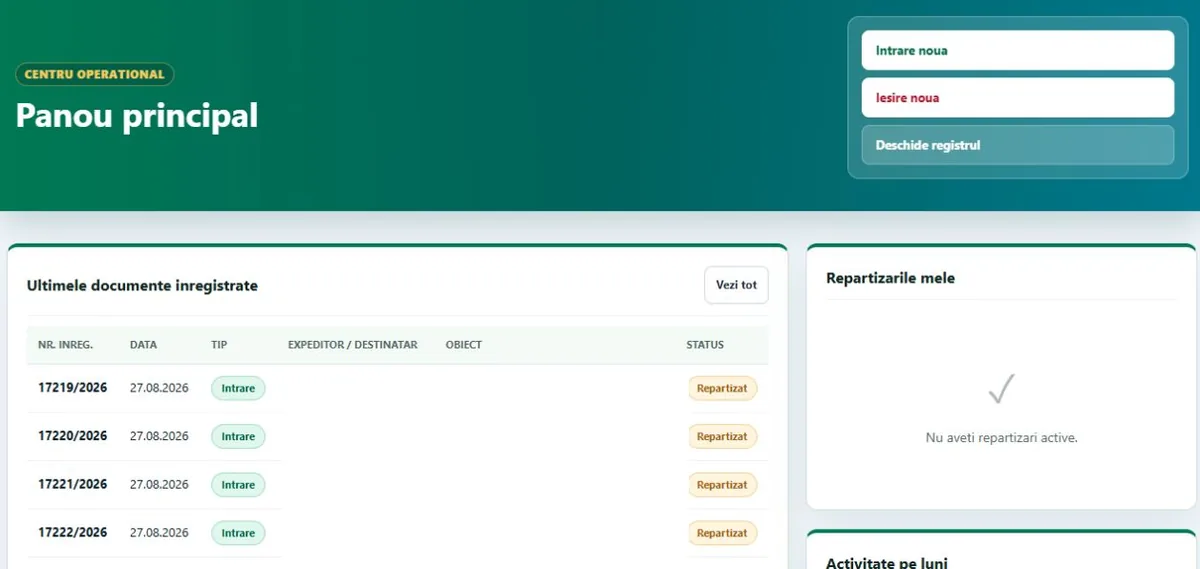
One incoming/outgoing register with automatic numbering, deadlines, overdue documents, Excel/PDF reports and an audit log.
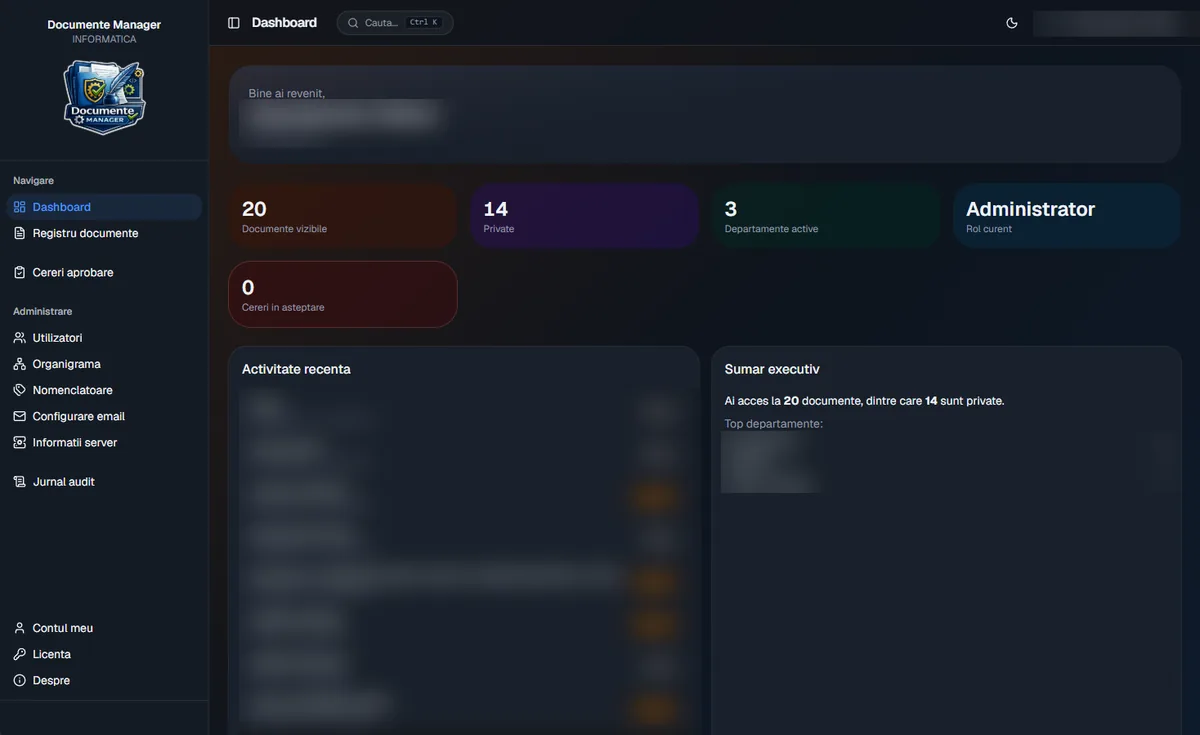
A Windows app with its own on-site server: scanning and OCR, approval workflow, contract expiry reminders and an audit log.
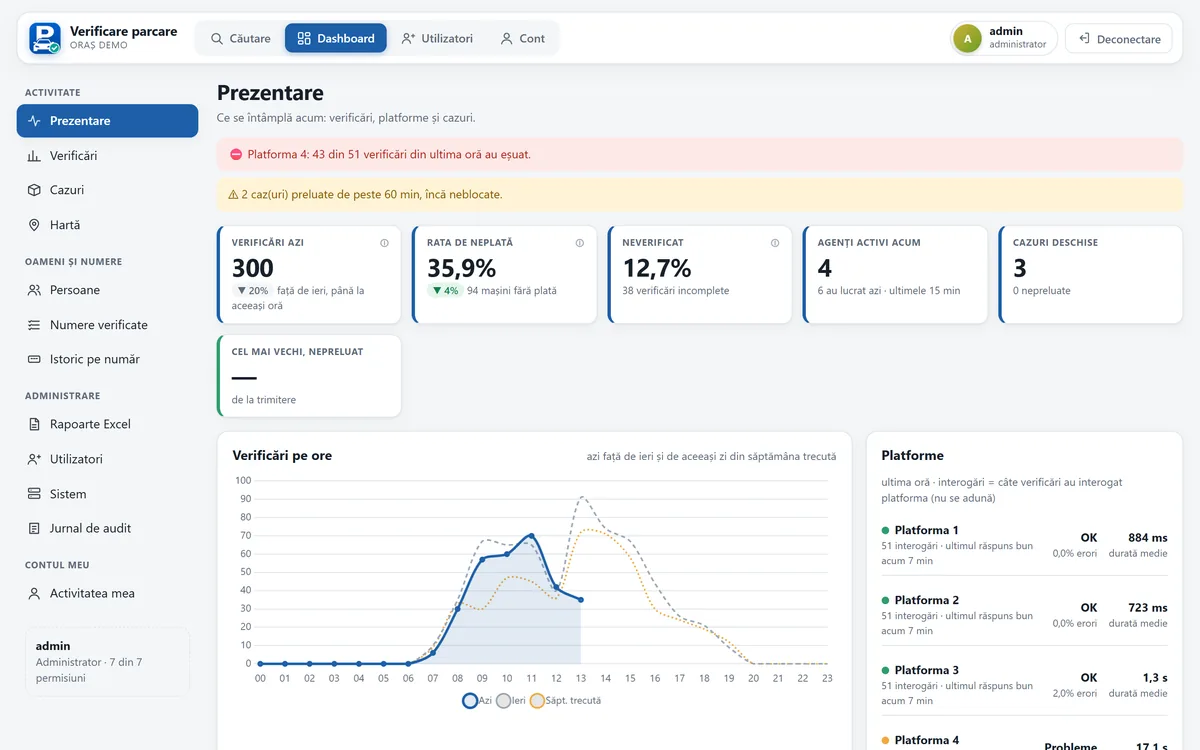
Checks every parking payment platform at once, reads number plates on Android, runs the wheel-clamping workflow, with dashboard and reports.