Number plate recognition
The plate reader (OCR) runs on the phone. A plate is accepted only once it reads consistently across several frames, and Romanian formats and county codes are validated.
Parking enforcement · Wheel clamping
We built a system that answers one question quickly and reliably: has this car paid for parking? The officer scans the number plate with a phone, the server checks every payment platform in the city in parallel and returns a single verdict. The same app drives a controlled wheel-clamping workflow, and management follows it all in real time.
Problem
The payment app, SMS payments, cards and season tickets, parking meters: each platform has its own account, interface and logic. To find out whether a car has paid, an officer has to open them one by one.
Solution
The officer types or scans the number plate and the server queries every payment source at the same time: the payment app, SMS payments, cards and season tickets, and parking meters. Each platform has its own adapter and a timeout, so one that's down doesn't hold up the others. Adding a platform means writing a new adapter, not a new application.
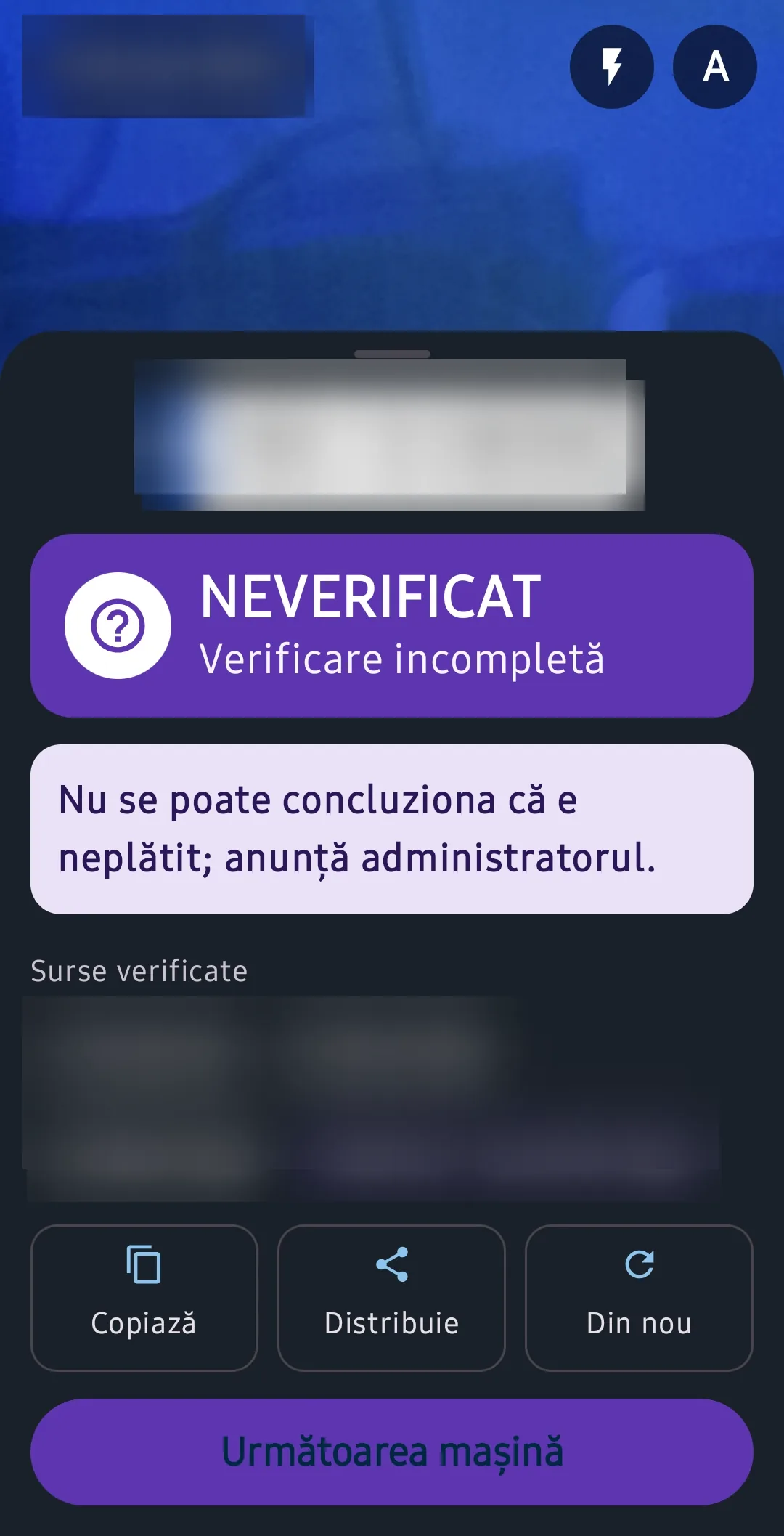
The result is a single verdict, generated on the server and identical in the phone and web apps: Paid (a valid payment right now, with the time left), Unpaid (every source answered and none found a payment), Expired today, Scheduled (paid, but valid later, such as tomorrow's season ticket) or Not verified. The safety rule is simple: a source that doesn't answer never turns into “unpaid”. The officer can see the check was incomplete and doesn't jump to the wrong conclusion.
Features
From checking a payment on the street to reports for management.
The plate reader (OCR) runs on the phone. A plate is accepted only once it reads consistently across several frames, and Romanian formats and county codes are validated.
If OCR changed a character (O/0, I/1), the officer compares it with the plate before the check, so the wrong number never gets verified.
Paid, Unpaid, Expired, Scheduled or Not verified, with the time left or since expiry and Copy, Share and Next car buttons.
“Parcare” for enforcement officers and “Blocator” for clamping crews, distributed internally as an APK to work phones rather than through a public app store.
Sent (with 2 photos and GPS location), notified, claimed by the first crew, en route (with navigation and distance), re-verified without cache right before clamping, then clamped and closed (towed or released).
If a payment shows up on re-verification, the case cancels itself and the crew is warned. If payment can't be verified, clamping is refused.
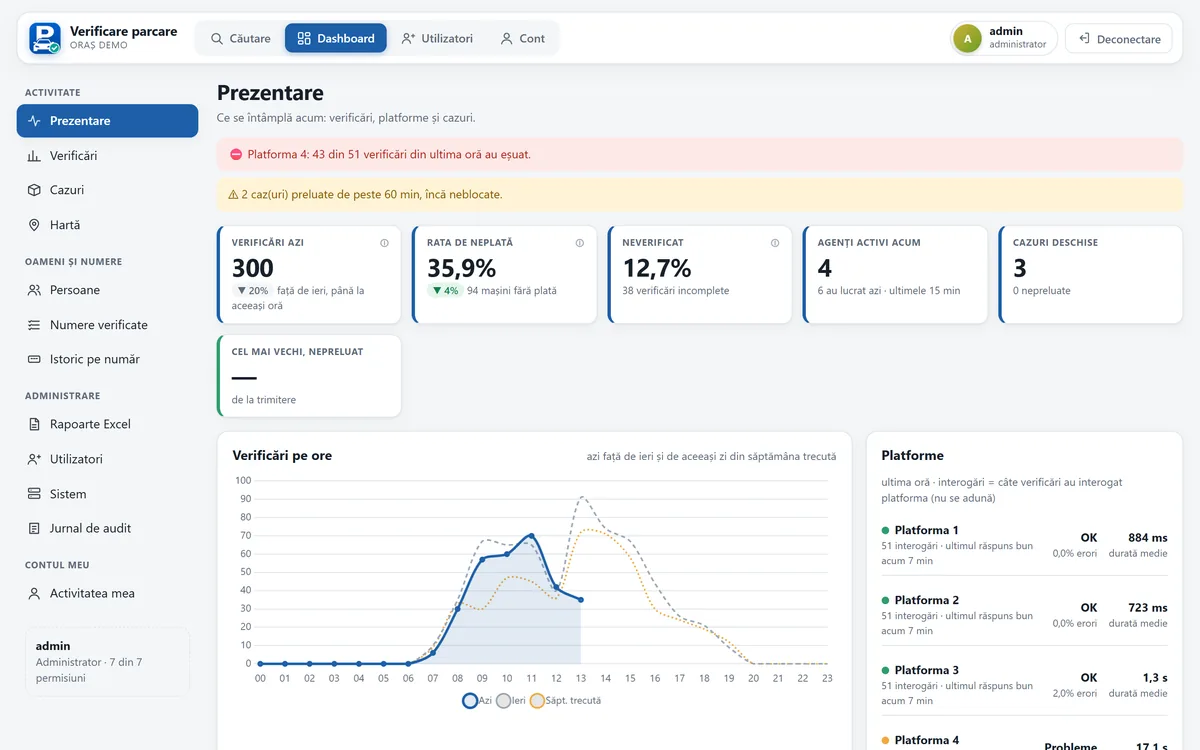
Alerts when a platform goes down or a case sits unclaimed too long, today's figures against yesterday and the same day last week, per-platform health, the non-payment rate and incomplete checks.
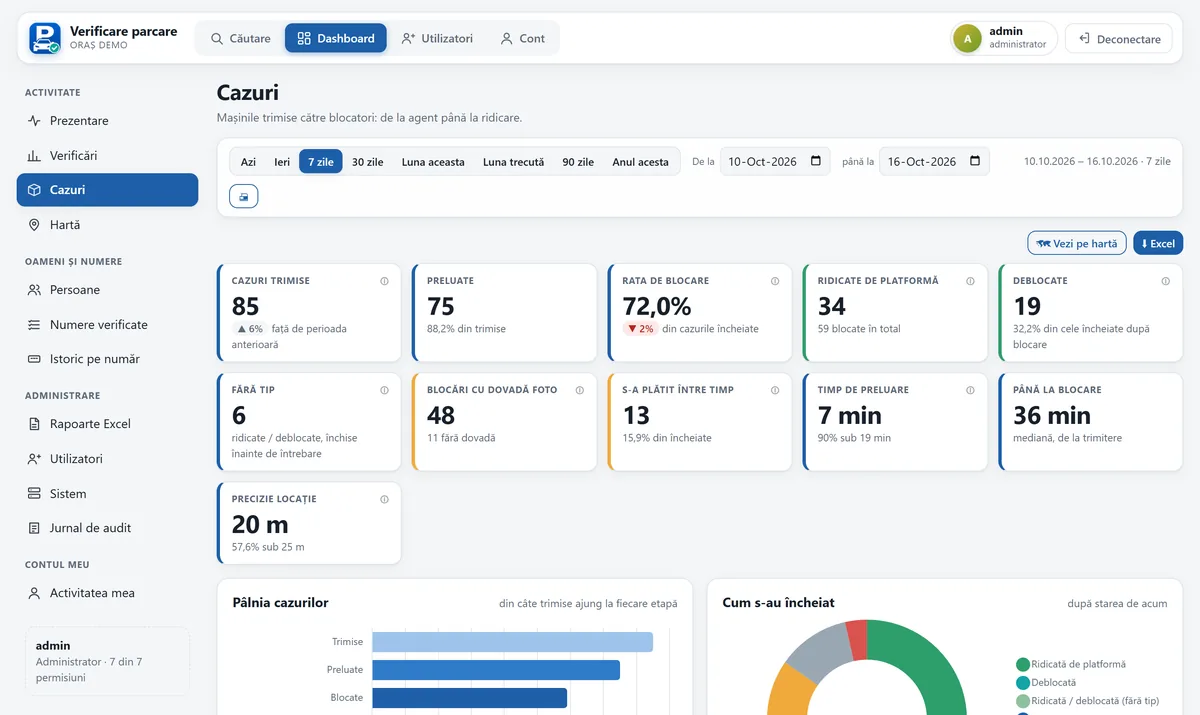
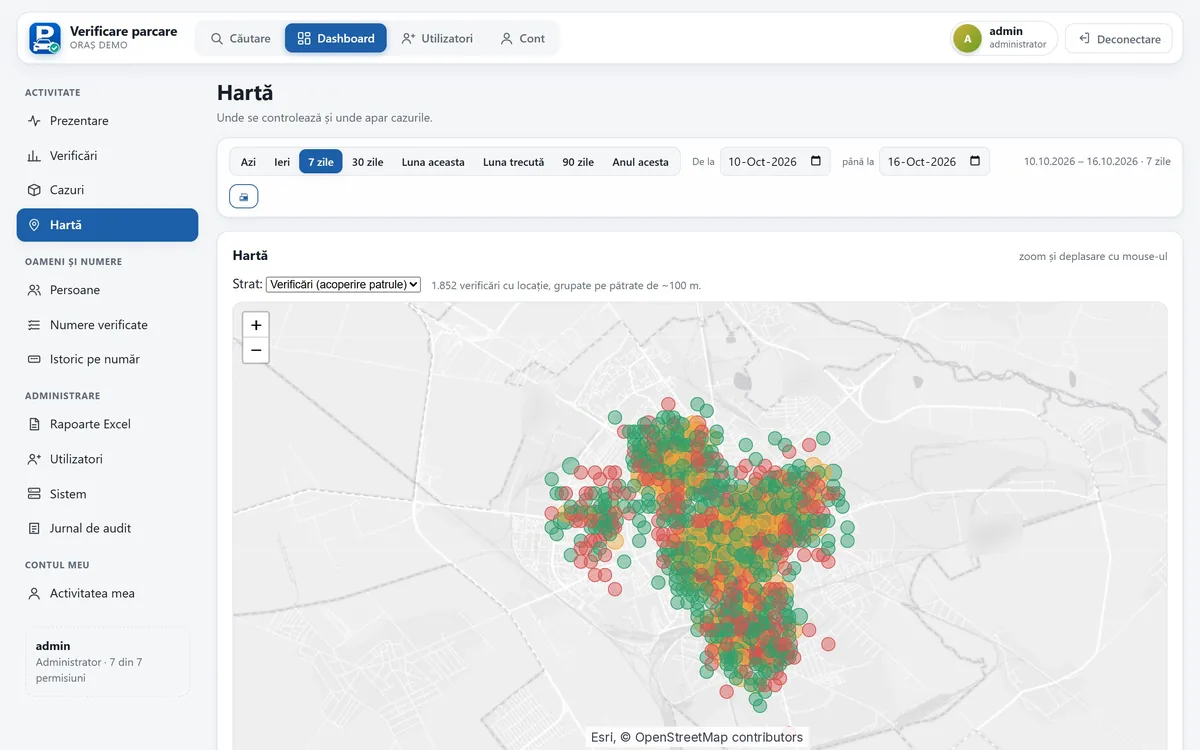
How many cases reach each stage, how long claiming and clamping take, how many were paid in the meantime, plus a map of checked areas (grouped into roughly 100 m cells) and where unpaid cars turn up.
Overview, checks, cases, people, register and system, for today, 7 days, a month, a year or a custom range, ready to print.
Administrator, officer and clamping-crew roles, permissions by category (overview, reports, people, plates, export, system) with presets, and 30-day activity per user.
Events written as plain sentences, grouped by day, with access to number plates listed separately.
Works with platforms that offer an API and with those that only have a web interface, all mapped to one response format: period, zone and amount.
Security
Number plates and photos are personal data, so the system was built for them from the start rather than retrofitted.
HTTPS connections, passwords stored only as hashes, expiring sessions, temporary lockout after failed attempts and a temporary password that must be changed at first sign-in.
Outside access goes through a secure tunnel with no open firewall ports, plus an extra authentication layer in front of the app on top of each user's own account.
Checked plates are kept for 12 months, after which only aggregate figures remain. Case photos are deleted after 90 days and drafts after 24 hours.
Customer emails and phone numbers held by the payment platforms are neither displayed nor stored.
The screen blocks screenshots and stays hidden in recent apps, and the session is stored encrypted. If a phone is lost, the account is deactivated from the web interface and access is revoked.
Every request is checked on the server; anything not allowed is never even computed, and exports contain only what the user may see, with rate limits.
Deployment
We start with a pilot in a chosen area, using the payment sources the city already has.
We list the payment platforms in use and decide who gets which access.
We build one adapter per platform, with automated tests on the verdict rules and on every adapter.
We create the accounts and train enforcement officers and clamping crews on both apps.
A few weeks in the field, followed by a report built on the dashboard figures. Monitoring shows each platform's error rate and response time straight away.
Gallery
Screenshots from the demo environment with synthetic data. Number plates, platform names and IP addresses are blurred.
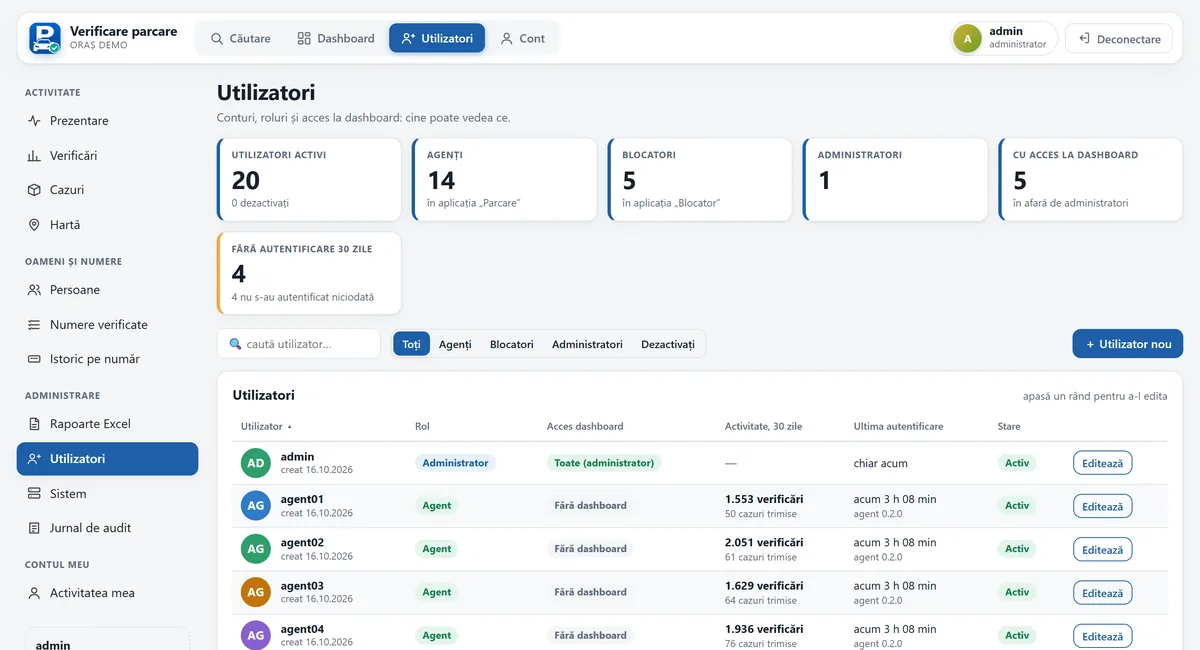
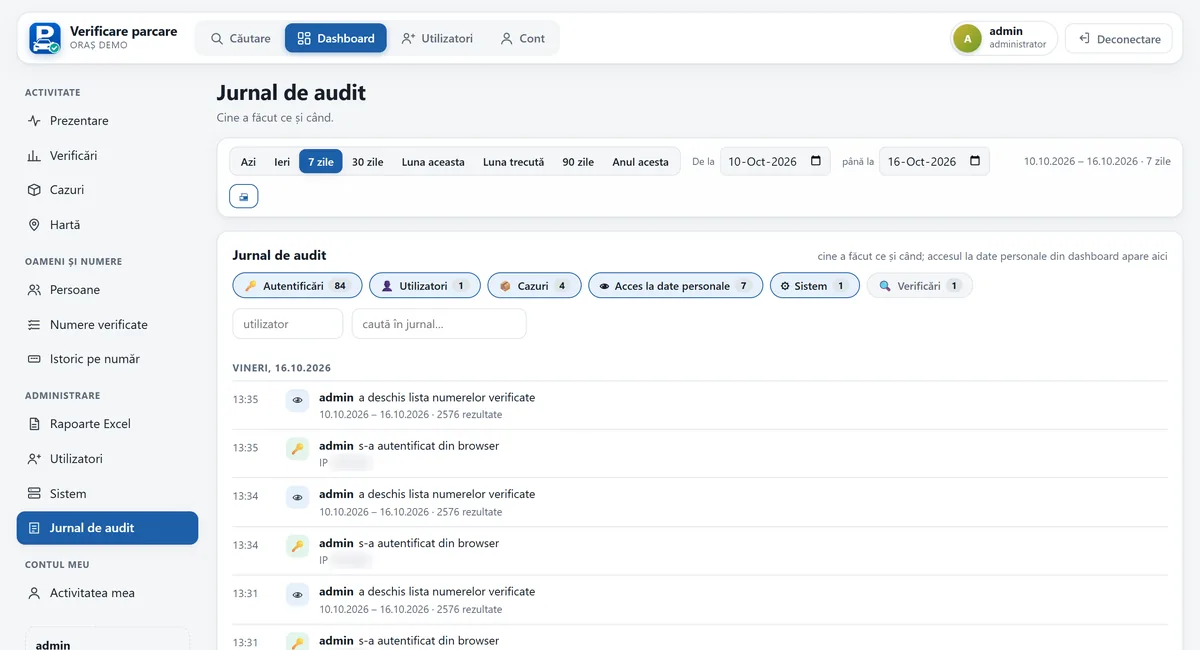
FAQ
The verdict becomes “Not verified”, never “Unpaid”. The officer sees the check is incomplete, and no clamping case can be created from an incomplete check.
The server only creates a case if it finds the car unpaid or expired, and payment is checked again without cache right before clamping. If a payment has appeared in the meantime, the case cancels itself.
Yes. We write an adapter for each platform, whether it has an API or only a web interface. Some platforms without an API may need periodic sign-ins, for example those protected by reCAPTCHA.
Not in the current version. Automatic reading from a patrol car, with mandatory confirmation by the officer, is a possible extension under consideration.
We'll walk you through the software and tailor it to your processes. Write to us or call 0740 902 102.
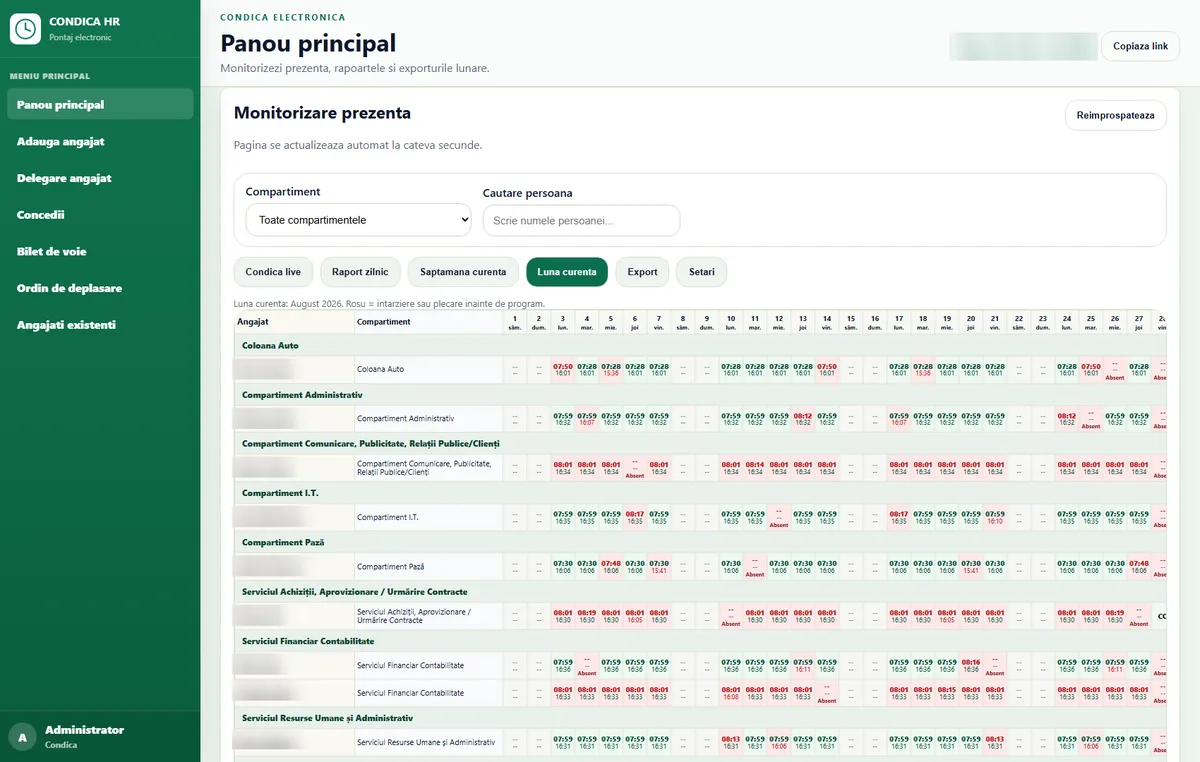
PIN and photo clock-in on an entrance tablet, monthly reports by department, leave tracking and data kept on-premise, with no cloud.
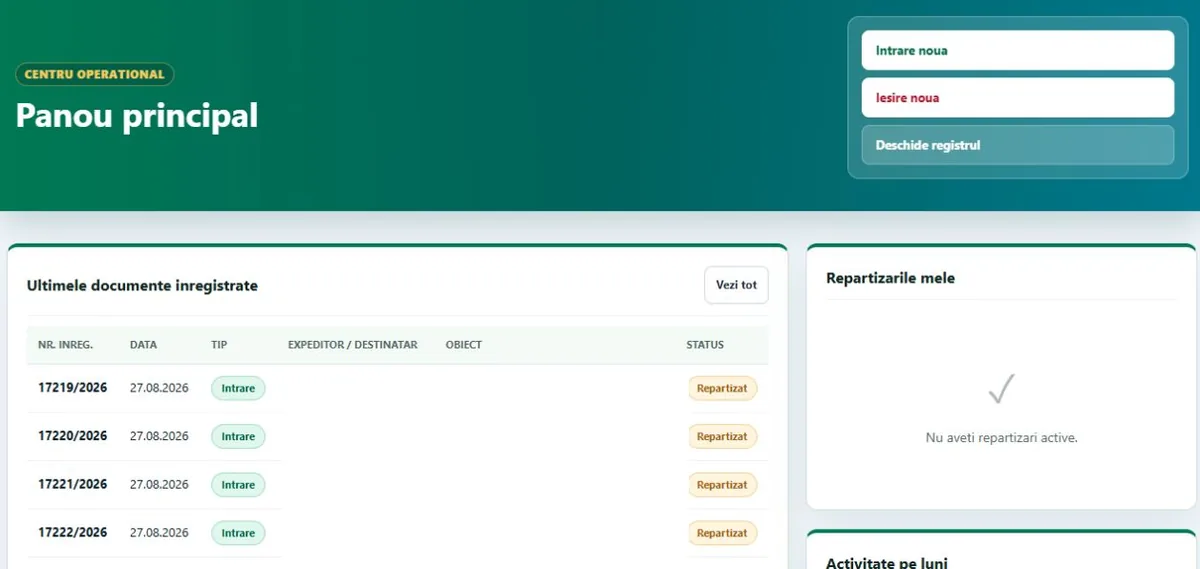
One incoming/outgoing register with automatic numbering, deadlines, overdue documents, Excel/PDF reports and an audit log.
A Windows app with its own on-site server: scanning and OCR, approval workflow, contract expiry reminders and an audit log.